A workflow export is only one part of a usable digital product. A buyer also needs to understand the problem it solves, what they must configure, what it can change and how to tell whether the installation worked.
The safest packaging process produces a small, versioned bundle that someone else can inspect and test with fictional data. Commercial readiness then requires separate checks for rights, store eligibility, checkout and delivery. A working local test does not establish that a merchant has approved a store or that a customer will receive a file.
This guide describes a generic packaging method. It does not include a paid workflow export, restricted download location, live buyer data or a claim that any particular premium product is ready for sale.
Define a narrow product contract
Write one sentence describing the intended user and outcome. For example: “A manual workflow that checks a fictional article package and returns a list of missing fields.” Keep the first demonstration small enough that a buyer can inspect every node before running it.
List inputs, outputs, dependencies and side effects. Say whether the workflow makes network requests, calls a paid model, writes files, sends messages or changes a remote service. An apparently simple import can contain substantial behavior inside Code and HTTP Request nodes.
State what is excluded. A structural validator cannot verify that research is true, that an image licence is sufficient or that a finished article is useful. A package readiness report cannot grant redistribution rights. Those boundaries belong in the README and product description, not only in a support reply after purchase.
Sanitize the exact export
Export the reviewed workflow as JSON using the documented n8n export and import process. Treat the resulting file as untrusted until it has been inspected for material that belongs only in the development environment.
n8n warns that exports can contain credential names and identifiers, and that HTTP Request nodes imported from cURL may retain authentication headers. Review every node, expressions, Code strings, URLs and headers. Remove secrets, private hostnames, customer records, pinned execution data and environment-specific credential bindings.
Replace real examples with clearly fictional fixtures. Use reserved example domains where a destination is needed, and avoid a plausible address that might belong to a real person. Removing a field named “password” is not enough if a credential has been embedded in a URL or a code string.
Keep the workflow inactive and use a manual demonstration wherever possible. Ensure that importing or running the sample cannot unexpectedly contact production. Document each intentionally missing value so the buyer sees a clear setup requirement rather than an unexplained failure.
Build a small reviewable bundle
A practical package contains workflow.json, README.md, a licence chosen by the rights holder, a version history and a fixtures directory with safe example inputs. Add a verification record listing file hashes, tested runtime versions, test date and expected outcomes.
Do not add a licence automatically because a repository contains one somewhere else. Confirm which code it covers, who owns new contributions and whether included examples, images, documentation or dependencies have separate terms. Preserve required notices and attribution.
The licence for your original workflow code is also separate from the terms under which the n8n platform or a third-party service may be used. Selling a template, redistributing third-party code and operating a hosted service are different activities. Review current provider terms for the actual offer and obtain qualified advice when the scope is uncertain.
Do not include files merely because they were available in a private working folder. A paid export, customer attachment or restricted Drive link can cross a distribution boundary even when the surrounding README is harmless.
Write installation instructions a new user can follow
Begin with prerequisites: the tested n8n version, required nodes, hosting assumptions, external packages and any module permissions. Separate essential dependencies from optional integrations. Do not imply compatibility with every installation because one environment accepted the JSON.
Explain how to import into a new inactive workflow, inspect the nodes and connect the buyer's own credentials through n8n's credential interface. Never ask buyers to paste secrets into a public issue, demonstration fixture or screenshot.
Describe the first safe test before describing production activation. Give an exact fictional input, the expected output and the fields that may vary, such as a timestamp. Include a negative case and the expected refusal so buyers can recognize a guard that has accidentally been bypassed.
Finish with recovery steps. Tell the user how to stop the workflow, preserve existing output and investigate failure without repeatedly calling paid services. State the support scope and supported versions without promising indefinite updates or response times that have not been approved.
Test the distributed bytes
Hash the exact candidate file before testing. Import that file into a clean test workflow, rather than using the already configured developer copy. Keep it inactive and avoid credentials that can reach production.
Run the valid fixture, then a deliberately invalid fixture, then the restored valid fixture. For a package checker, useful failures include a missing rights record, mismatched version or unexpected file. Preserve the output and the exact fixture used for each case.
A local Node test is valuable for deterministic logic, but it cannot prove that n8n imports the export or that the configured nodes execute correctly. Record these as separate results. A screenshot should show an observed run and its version, with fictional data only; a diagram of a hoped-for result is not test evidence.
If any executable byte changes afterward, assess and repeat the relevant tests. If you cannot export the post-import workflow for comparison, disclose that limit instead of claiming a complete round-trip audit.
Keep checkout and fulfillment separate
Lemon Squeezy's test-mode documentation, checked on 30 September 2026, supports simulated checkout and integration testing. It also states that file downloads are disabled for test-mode purchases. Therefore a successful test order cannot demonstrate that the buyer downloaded the actual bundle.
Record checkout simulation as one gate and artifact delivery verification as another. Test mode also does not establish live store activation or merchant approval. Do not copy a product into live mode, change a price or make a purchase merely to complete a technical checklist.
If native file delivery meets the product's needs, document that path. If custom webhooks are required, treat them as an additional integration. Lemon Squeezy's signature guide describes checking the signature against an HMAC of the raw request body. Validate signatures before processing events; separately handle duplicates, environment mismatches and retries. Authentication of a message does not itself establish fulfillment success.
Use explicit release gates
Keep the package blocked until its owner has reviewed the exact files and rights, a clean import has passed, positive and negative cases have been recorded, documentation matches the artifact and the commerce path has been checked within its actual limits.
The Export Package Preflight, WF14 v0.1.0, was publicly released on 30 September 2026 under MIT for its workflow code and documentation, with separate rights notices. It checks supplied metadata and optional bytes offline. It does not extract ZIPs, render documents, import workflows or grant rights to the package being checked; release_approved stays false. Its released status does not complete the clean import or commerce-path review for this article's generic product. Keep the premium purchase call to action out until that purchase path has been reviewed.
Verification evidence
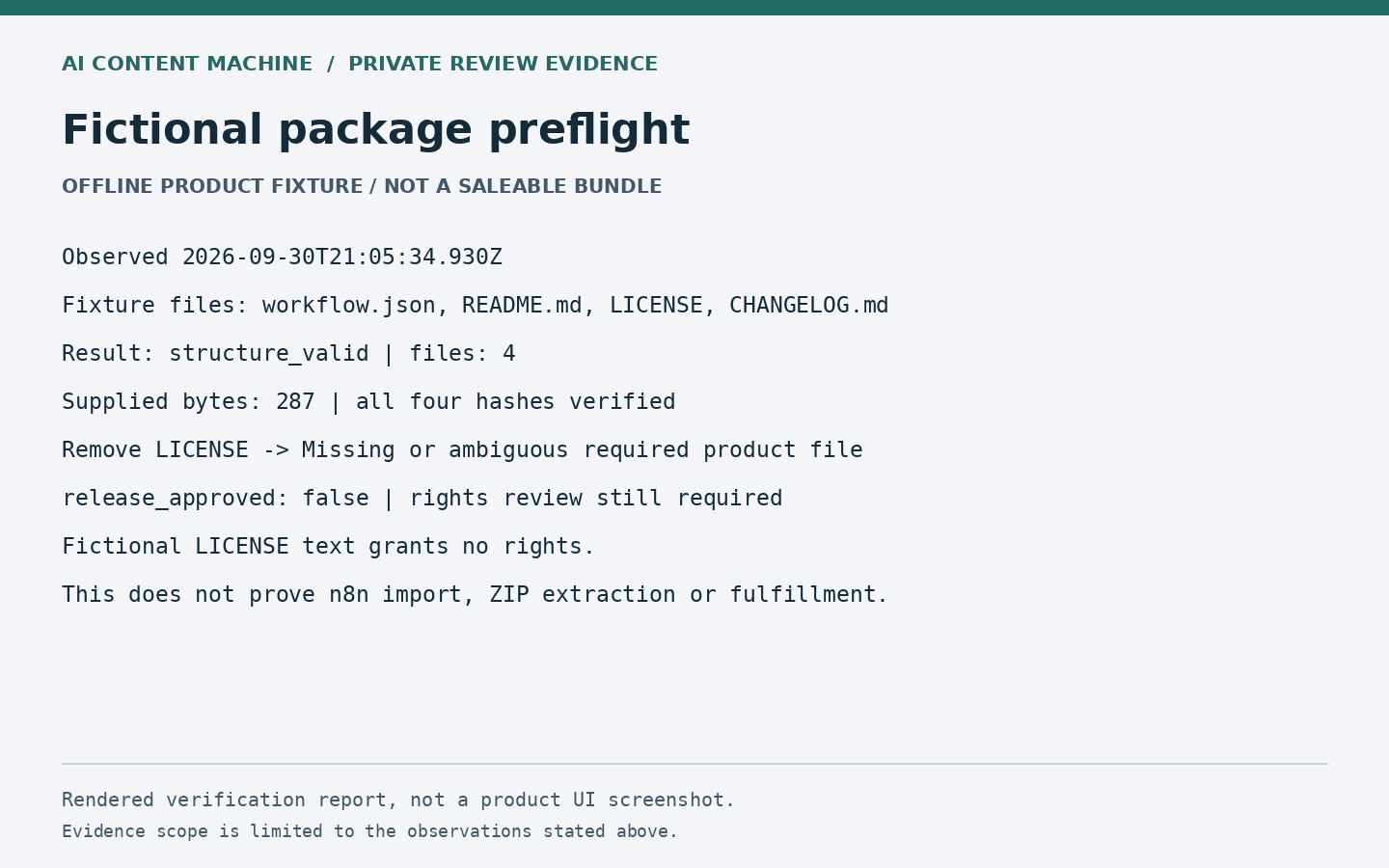
Fictional package preflight; observed 30 September 2026. offline product fixture / not a saleable bundle. Rendered report, not a product UI screenshot. The original image retains its private-review label; the owner approved this historical report for publication on October 1, 2026.
Image provenance and reuse limits: publication asset manifest.