Start every export from the same reviewed article and the same approved image bytes. That gives you a consistent source for an editable Markdown file, a standalone HTML page and a PDF. Put the Markdown and its images in a ZIP so the relative paths still work after extraction.
The AI Content Machine editorial workflow contains a custom exporter that creates these files before attempting GitHub delivery. This tutorial explains that implementation and a reproducible offline check. The baseline check produced all four formats and revealed a pagination problem. A revised patch keeps the affected heading with its paragraph and has passed offline regression checks plus an isolated manual n8n run. The revised code was merged on September 30 and the website deployment completed. At the September 30 verification cutoff, the running production n8n exporter had not been updated; its rollout was a separate task. The revised exporter was published to production n8n on October 1, 2026, with the published code verified against the reviewed revision. This deployment check did not execute a production article, verify downloaded runtime files or establish end-to-end delivery. Treat file creation and reader-ready presentation as separate acceptance checks.
Define the package before generating files
Choose a stable article slug and use it as the base filename. The checked-in exporter creates a Markdown file, an HTML file, a PDF, an assets-manifest.json file and the referenced image files. It puts those entries into a ZIP and also exposes the principal formats as separate downloads.
Keep the source article within the exporter's supported Markdown subset. The project parses headings, paragraphs, lists and standalone image references. Its final approval gate rejects raw HTML, fenced code blocks and table syntax. A tutorial requiring those constructs needs renderer support before it can use this delivery path faithfully.
Record the approved image paths, captions, byte counts and hashes. At the workflow boundary, require the expected review and quality statuses. Those fields should come from the authenticated review path, with the approved content preserved. Copying an approved status into arbitrary input does not prove that an editor reviewed it.
Preserve relative image paths in Markdown
A Markdown image reference should point to the image's path inside the package, such as assets/imagem-1.jpg. Include that exact file in the archive. Do not use a private execution URL or a temporary signed download URL as the permanent article image.
After extracting the ZIP into a fresh directory, open the Markdown with a viewer that resolves relative paths. Check that the referenced file exists and that its SHA-256 still matches the reviewed asset. This catches a common packaging error: sending the text while leaving the images in the original workspace.
The website delivery step uses a different destination and rewrites approved image paths for the site's public image directory. Keep that site-specific transformation out of the portable Markdown package.
Embed images in HTML and PDF
The project's HTML exporter places the supplied JPEG or PNG bytes in data URLs. A reader can therefore open that HTML file without fetching the image from the original n8n instance. The exporter escapes text before inserting it into its HTML layout.
PDF generation is handled by custom Code node logic using bundled pdf-lib and font data. It embeds image bytes, wraps text, adds pages and draws captions as article paragraphs. Unsupported font characters can cause the export to fail, so test the actual languages and symbols your article uses.
The n8n Compression node compresses or decompresses supplied files; it does not generate PDF pages. This particular project uses its own store-mode ZIP writer after rendering rather than a Compression node. If you replace that writer, keep the package contents and extraction checks equivalent.
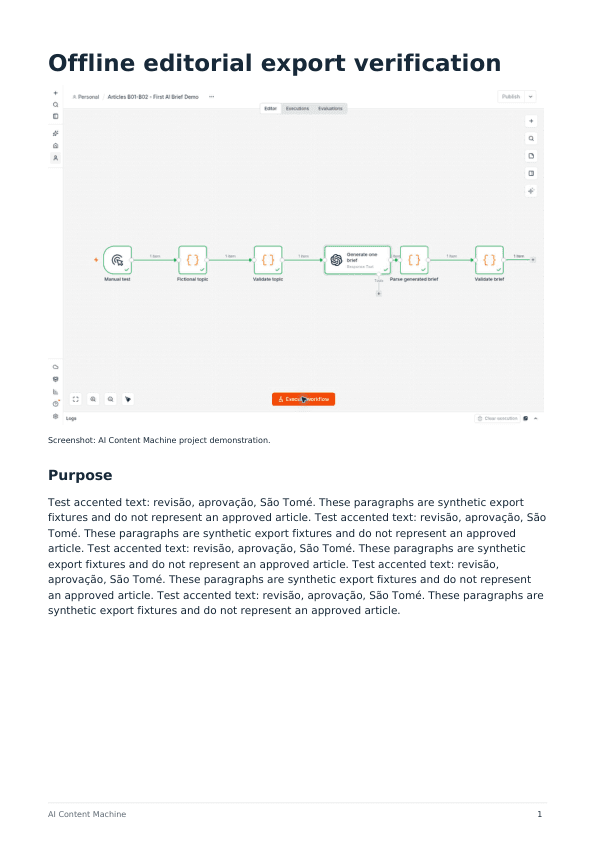
PDF page capture: September 30, 2026, original offline pagination fixture. The text is synthetic and the embedded image is the existing project screenshot used for that test. This historical render predates the revised heading-chain fix and is not a capture of the later n8n run or a customer delivery.
Inspect what readers will actually see
Use a fictional article long enough to cross a page boundary, plus a permitted project screenshot. Include accented text and a caption. Run only the exporter with fixed input so this check does not need a model call.
The original offline fixture for this article executed the checked-in baseline exporter and produced a two-page PDF, HTML, Markdown and ZIP. ZIP integrity and extraction checks passed. Text extracted from the PDF preserved revisão and São Tomé. Both PDF pages were opened for inspection.
The original first page ended with a Method heading while its paragraph began on page two. A pagination patch reserves space for the following content before placing the heading. Re-running the same fixture moves Method and its paragraph together onto page two, as the inspected output below shows. These two historical captures show that original fixture only; they do not establish the later revision or a production rollout.
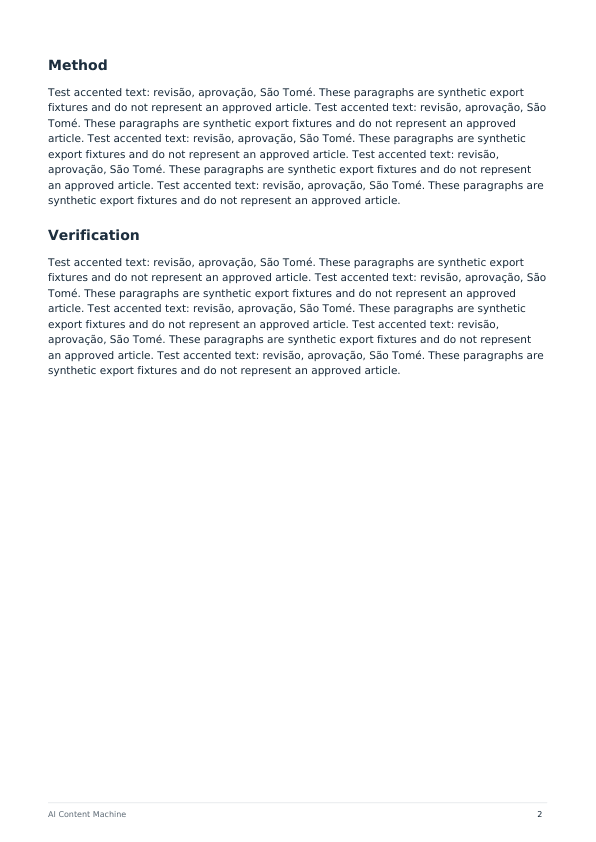
PDF page capture: September 30, 2026, original local patch, before the revised heading-chain fix. Method and its paragraph stay together in this synthetic fixture. No model call or repository delivery was needed.
The revised exporter subsequently passed 52 focused tests, comprising 32 exporter regressions and 20 existing delivery tests, plus an independent set of 220 adversarial renders. Heading-chain checks include 25, 40, 4,000 and 8,000 headings; oversized chains use a bounded fallback rather than being forced onto one page. The source and exact tested revision are recorded with the private QA evidence.
A separate inactive, unpublished manual n8n workflow ran the same revised exporter with a synthetic 40-heading fixture on September 30. Its saved execution succeeded, reporting three PDF pages and Markdown, HTML, PDF and ZIP binary fields. Binary downloads timed out and the Markdown preview was blocked, so those runtime indicators do not count as independent inspection of the downloaded files. The runtime fixture contained no images and used synthetic approval status. Image-byte, ZIP and PDF visual checks passed separately offline; that isolated test did not establish authenticated human review or production rollout.
Inspect links separately. The current HTML inline formatter handles emphasis and inline code, but does not implement Markdown-link conversion. The PDF text path likewise does not create clickable link annotations. Do not promise identical interactive links across formats. Decide whether visible source URLs are sufficient for a particular deliverable or improve the exporter before release.
For the final article package, also check image sharpness, captions, margins, long URLs, lists and every page break. An extraction test cannot establish that those details look right. The standalone HTML still needs its own browser inspection. The local preview could not be opened in the test browser, so no HTML visual pass is claimed here.
Build and extract the ZIP
Package the three article formats, the manifest and the exact image files. Then test the resulting archive rather than relying only on the exporter's success status.
- List the entries and confirm that every expected file is present
- Reject absolute paths, parent-directory traversal and unexpected files
- Check the archive's integrity and extract it into an empty directory
- Compare the extracted bytes with the original package entries
- Confirm that each Markdown image reference resolves inside that directory
- Open the extracted HTML and PDF and review their presentation
A successful extraction proves that the archive can be read. It does not establish that the image rights are valid, that the article facts are correct, or that the PDF layout is acceptable.
Preserve downloads if GitHub delivery fails
The editorial workflow generates the download files before it invokes the GitHub delivery subworkflow. It then preserves the package alongside a delivery receipt. If the repository step fails, the reader-facing download path should still expose the generated files and report the delivery failure accurately.
Use the Execute Sub-workflow completion setting deliberately when coordinating the result. A file-ready status and a draft-pull-request-created status describe different outcomes. Verify each rather than treating one as proof of the other.
The offline export check made no GitHub write and did not simulate a new live delivery failure. Test that recovery path in an isolated workflow before claiming end-to-end failure coverage. If a deterministic delivery branch already exists, inspect the existing proposal instead of changing the slug or deleting the branch to force a retry.
Use a preflight before distribution
The free Export Package Preflight v0.1.0 module is now available. It checks supplied file metadata and, when provided, bytes against declared hashes. Its workflow code and documentation use the MIT licence; supplied images and other content retain their own rights. A structural pass does not verify ZIP extraction or rendering, and the module keeps release approval false. Generate and inspect the ZIP separately, then keep the manual checklist with the exported files and record which checks passed, failed or were not run.
Start with the first AI content workflow, preserve its reviewed content through each format, and make visual inspection a release gate. The useful result is a package a reader can open, understand and trace back to the approved article.